Practice Hub
The screen where every structured practice tool in Drum Buddha lives — this page is a map, not a manual, so you know where to look before the tool pages that follow it.
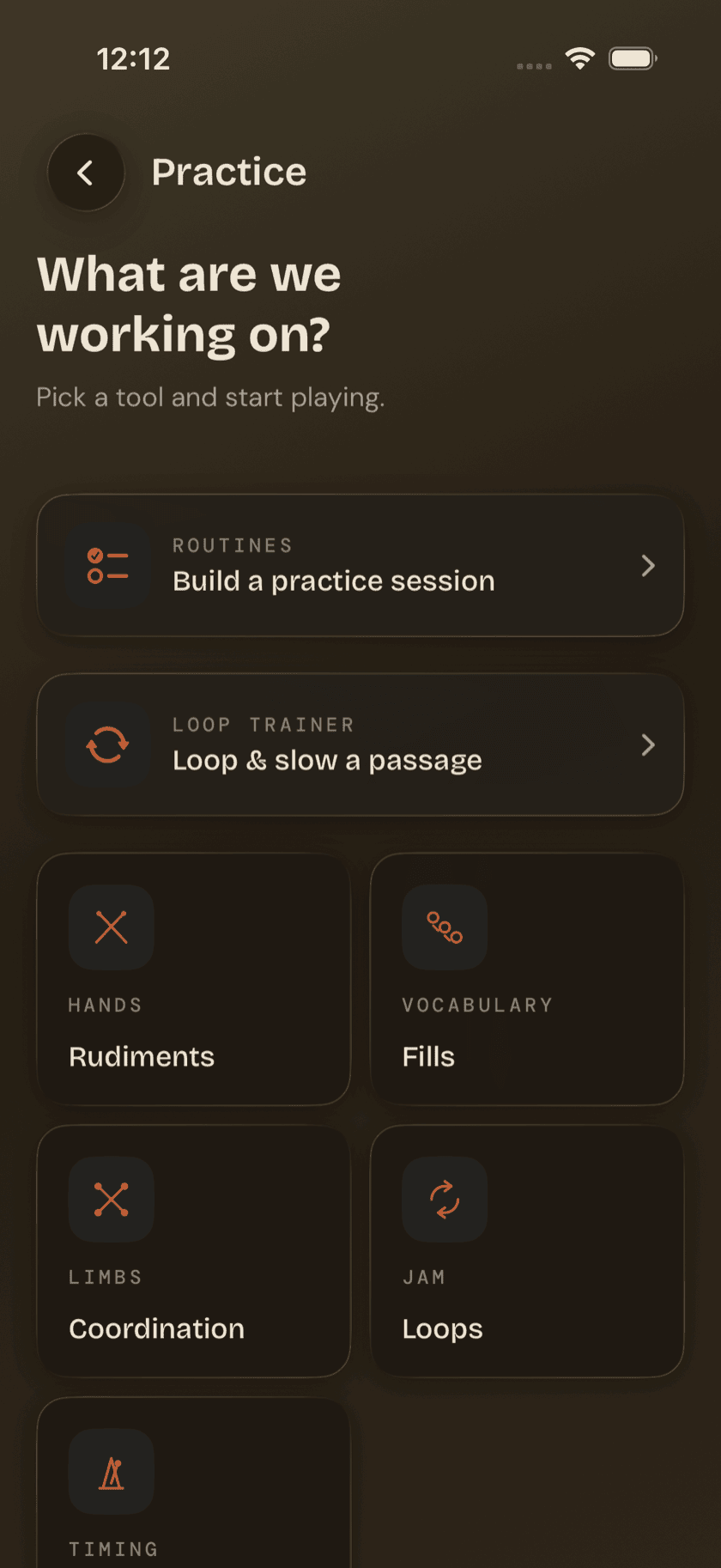
Practice Hub is the screen behind every structured practice tool in the app — hands, limbs, vocabulary, timing, even a place to jam over a track. It doesn't teach you anything itself; think of it as the front door, not a lesson. Open it and the screen gets straight to the point: What are we working on? The subhead answers its own question — Pick a tool and start playing — and that's the whole idea of this screen in one line.
What's on the screen
Two featured cards sit above the grid:
- Routines — "Build a practice session." Opens the routine builder, where you plan out a session instead of picking tools one at a time.
- Loop Trainer — "Loop & slow a passage." Opens the loop-and-slow-down drill tool — a different tool from the Loops tile below, even though the names sit close together.
Below the cards, a grid of five tiles, each labeled with a category and a subtitle:
- Rudiments (Hands) — "The 40 PAS rudiments"
- Fills (Vocabulary) — "One- and two-bar phrases"
- Coordination (Limbs) — "Limb independence drills"
- Loops (Jam) — "Jam over backing tracks"
- Metronome (Timing) — "Steady time, accents, tap"
Between the two featured cards and the five tiles, that's every structured practice tool in the app.
Where each one goes
Each card and tile has its own page later in this guide:
| Tap | Goes to |
|---|---|
| Rudiments | Rudiments |
| Fills | Fills |
| Coordination | Coordination |
| Loops | Loops |
| Metronome | Metronome |
| Routines | Routines |
The Loops tile and the Loop Trainer card aren't the same tool, even though the names sit right next to each other. Loops gives you a backing track to play along with. Loop Trainer gives you a way to slow down and drill a specific passage. The full breakdown of both lives on the Loops page.
Sit down and play.
Learn grooves, capture ideas, jam with a live band, and keep time — free, local-first, on iPhone, iPad, and Mac.
Explore Drum Buddha →