Routines
Chain your practice tools into one guided session, run it against a timer and a checklist, and Drum Buddha logs it automatically when you're done.
Most of the time you open one tool, work on it, and move on. A routine is for when you want more structure than that — a warm-up, then a groove or two, then a jam, planned out in advance so you're not deciding what's next while you're mid-session. Routines & Log covers all three pieces: the builder where you plan a session, the runner where you actually do it, and the log where every finished session ends up.
Your routines
Open Routines & Log from the Practice Hub and you land on a list of every routine you've saved. Each one shows its step count and total estimated minutes right on the row — enough to tell at a glance whether it fits the time you've actually got.
Two actions sit in the header: Practice log opens your history, and New routine — the plus icon — starts a fresh one.
The screen never opens empty. Three ready-made routines ship with the app and sit in a Starters section — Your first session (a first half hour: hands warm on the Single Stroke Roll, the Money Beat slow and even, a fill to get out of the bar, then play it with the band), Ten quiet minutes for the days motivation is thin, and Past the basics for once the Money Beat is boring. If you've saved nothing yet — or set your level to beginner — the starters are listed first; otherwise your own work leads and they sit below it. They're never hidden.
Starters are read-only, the same way bundled grooves and loops are: swiping one offers Duplicate rather than Edit or Delete. Duplicate it and the copy is yours to rearrange, retime, or strip back.
Building a routine
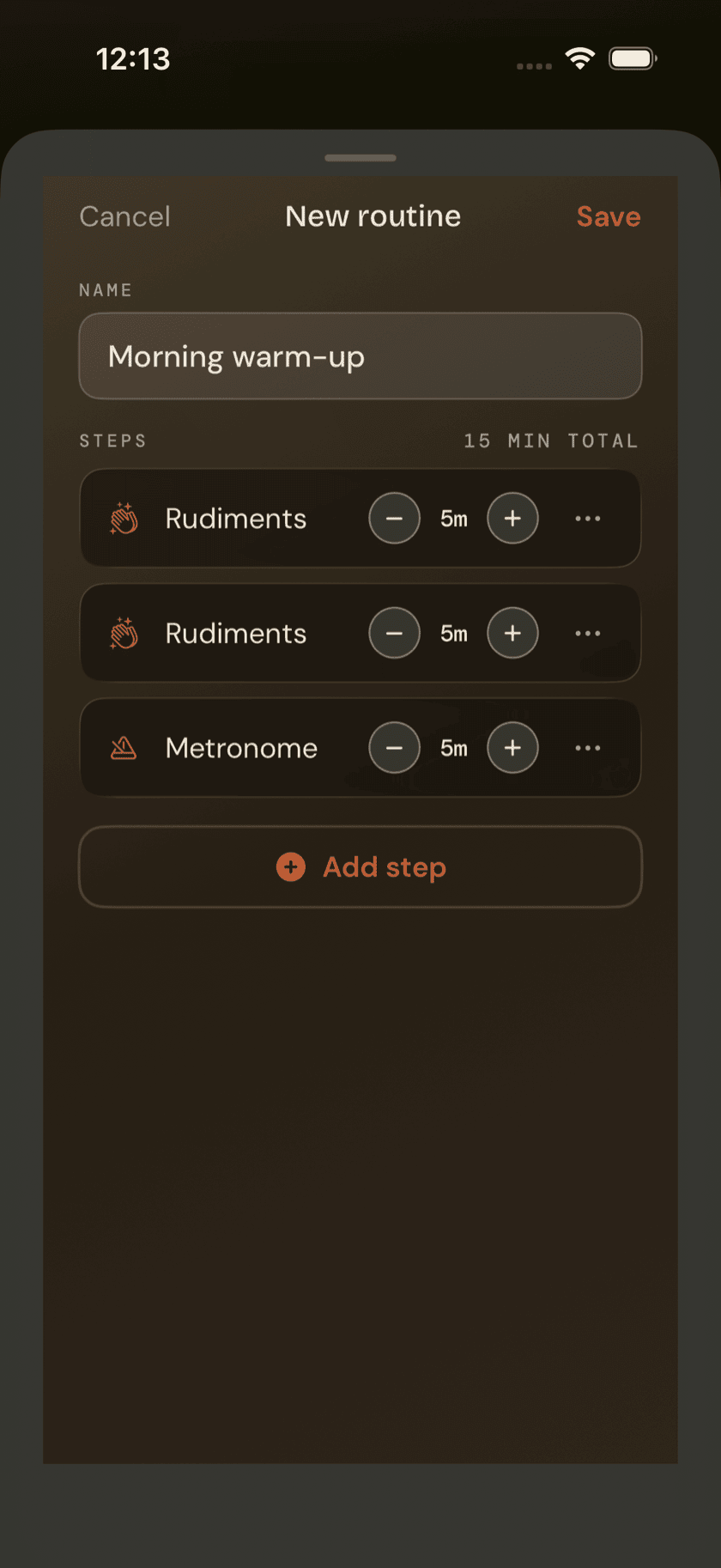
Give the routine a name — the field's placeholder, e.g. Morning warm-up, is a fair example of the scope to aim for — then add steps one at a time through the Add step menu.
Steps come in seven kinds. Five of them open a real tool when you tap them during a run — Rudiments, Fills, Coordination, Loops, Metronome. A sixth, Jam, opens the full Jam screen. The seventh, Custom, doesn't open anything at all — it's a plain checklist item for whatever the app's tools don't cover, like stretching or tuning up before you start.
Every step gets an editable label and a minute estimate, and you can reorder or remove steps as you build. None of it is locked in — a routine is just a list until you press play on it.
Running a routine
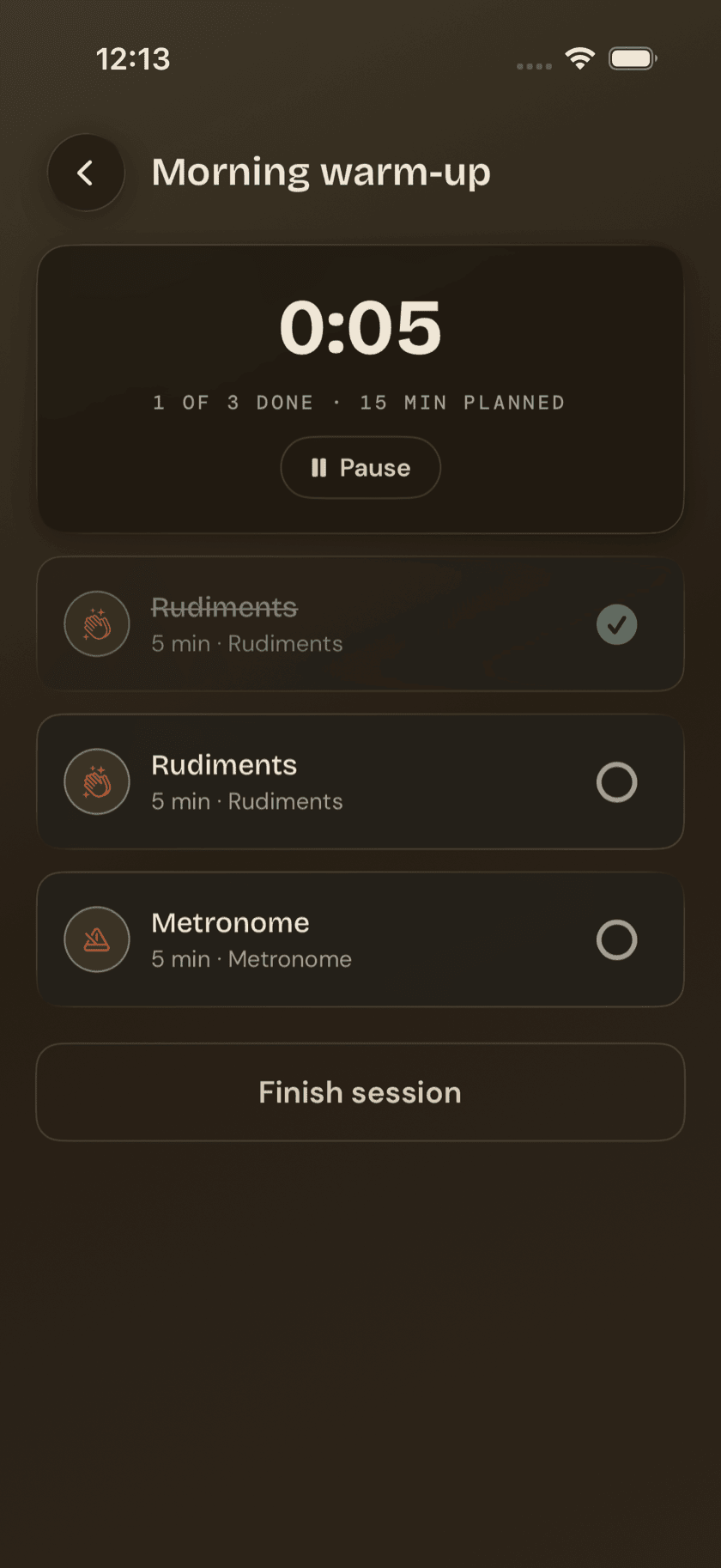
Start a routine and two things show up: a session timer counting up in mm:ss with pause and resume, and a checklist of your steps.
Tap a step that opens a tool — Rudiments, Fills, Coordination, Loops, or Metronome — and the app pushes straight into that tool. Your session keeps running underneath; back out of the tool and you land right back on the checklist, no progress lost. A Jam step behaves a little differently: it opens as a cover on top of your still-running session, since Jam takes over the whole screen. Custom steps don't go anywhere — tap the checkbox and move on.
The difference matters more than it sounds. Tool steps hand you off and bring you back automatically. Jam covers the screen instead, but your session timer keeps counting underneath the whole time — close Jam and you're back on your routine exactly where you left it.
The finish button tells you where you stand. Check off every step and it reads Done — log session. Leave anything unchecked and it reads Finish session instead — nothing forces you to finish what you started. Either way, the session gets logged as long as you spent at least 30 seconds in it or checked at least one step. Back out in the first few seconds without touching anything, and there's nothing to log.
The practice log
Tap Practice log from the routines list and you get a calm, day-grouped history — Today, Yesterday, then by weekday going back from there. Each group carries a simple summary line: how many sessions, how many total minutes.
This is deliberate. No streaks, no scores, no badge for showing up — just a record of what you actually did. A missed day doesn't break anything, because there was nothing sitting there to break.
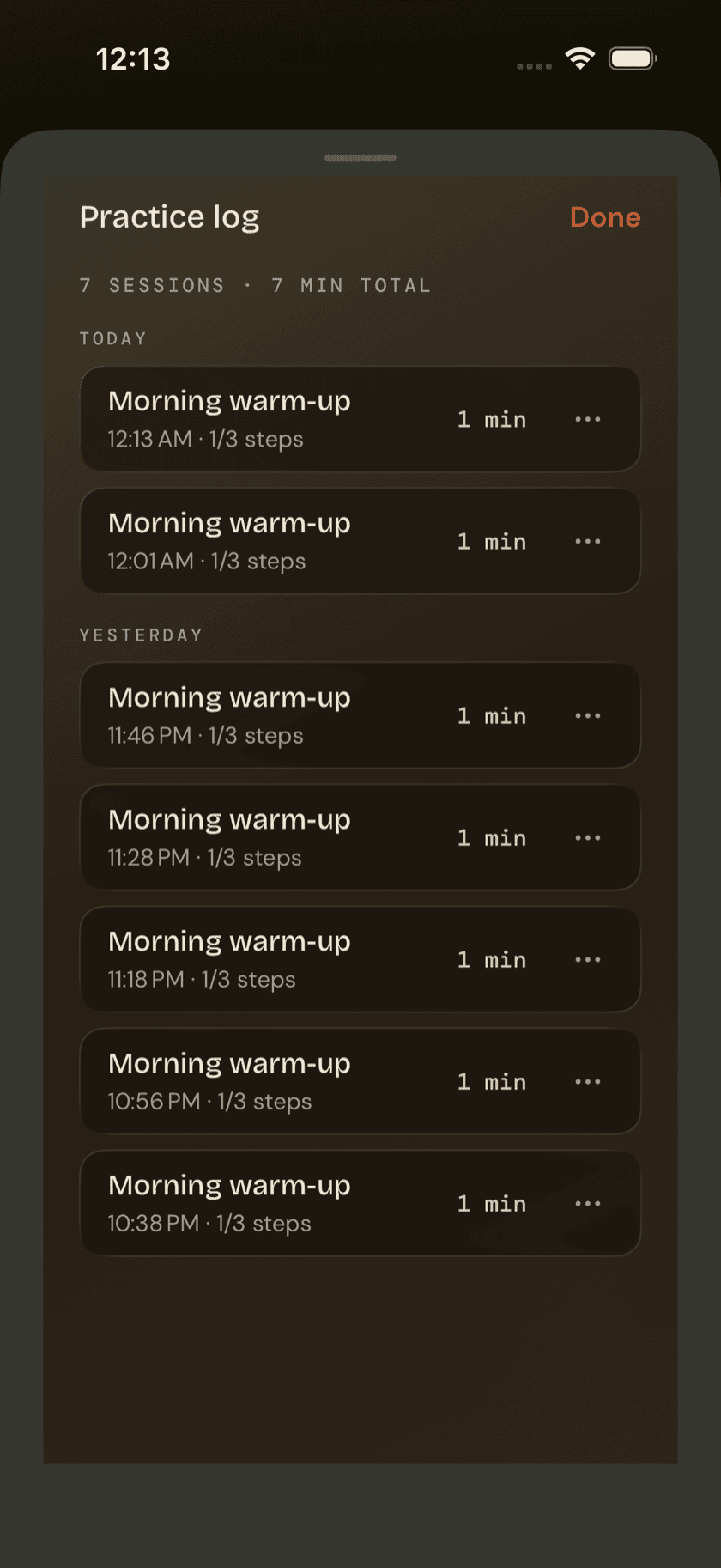
The log leaves the app, too. The share icon in its header writes a CSV — one row per session, carrying the date, the routine, the minutes, and the steps — ready to open in Numbers, Excel, or Google Sheets if you ever want to chart a year of your own practice. Like the backup over in Settings, it's written on your device and goes nowhere until you send it somewhere.
Sit down and play.
Learn grooves, capture ideas, jam with a live band, and keep time — free, local-first, on iPhone, iPad, and Mac.
Explore Drum Buddha →