Settings
One sheet holding every preference in the app that isn't a practice tool in its own right — appearance, permissions, recording defaults, and the rest.
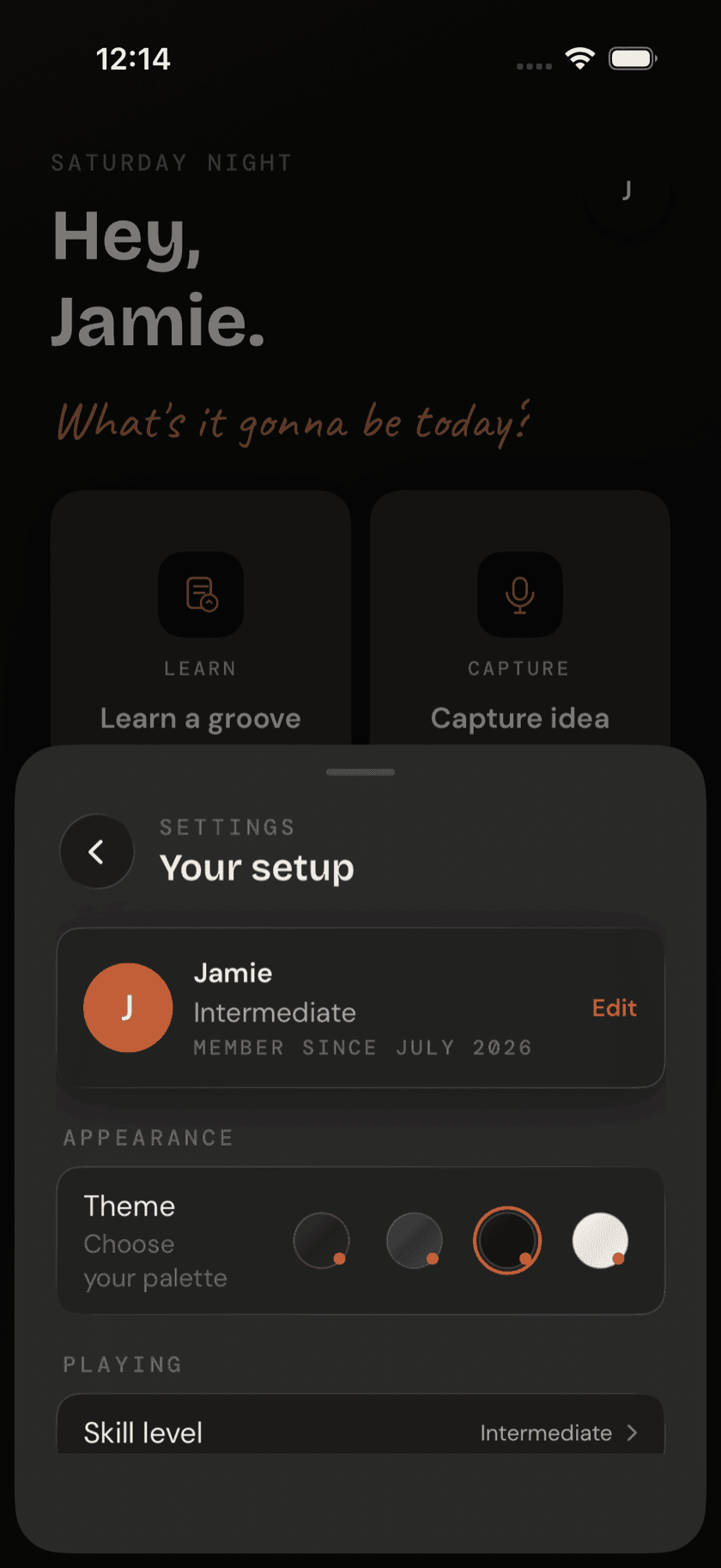
Settings isn't a screen you navigate to — it's a sheet. Tap the avatar circle in Home's top-right corner and it slides up over whatever you were doing, holds everything, and dismisses back to exactly where you left off. Same shape as the sibling apps' Settings page, group for group, with a few rows that are Drum Buddha's own.
Appearance
One row: the theme picker, subtitled Choose your palette. Four themes to tap between — Strata, Terra, Obsidian, and Sand. Terra is the default.
Playing
One row: Skill level — Beginner, Intermediate, Advanced, or Returning, the same four options from onboarding. Changing it here doesn't lock anything in or out; it just changes what the app suggests.
Permissions
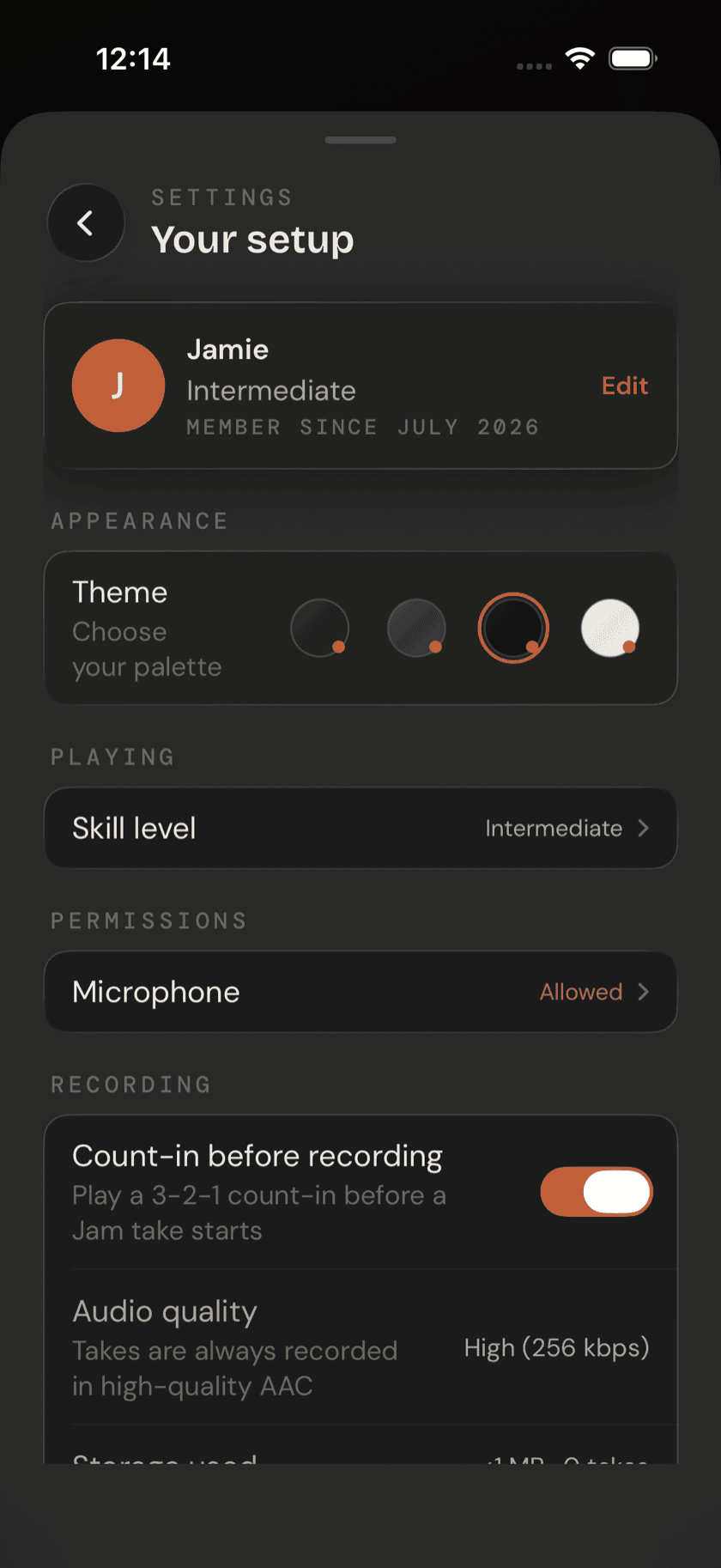
One row: Microphone, with a live status next to it — Allowed or Tap to allow. It reflects the real iOS permission state each time you open Settings, not a cached guess from onboarding. Microphone access is what capturing audio in Ideas and recording a Jam take both depend on, so if either one is greyed out elsewhere in the app, this is the row to check.
Recording
Four rows here, all tied to what happens when you actually capture something:
- Count-in before recording, a toggle. Subtitle: Play a 3-2-1 count-in before a Jam take starts. Turn it off and a take starts cold, on the downbeat, no warning.
- Audio quality, a static row reading High (256 kbps) — nothing to change here, just a statement of what you're getting.
- Storage used, a live figure computed from your takes and ideas — it grows and shrinks as you record and delete, rather than reporting the app's total footprint.
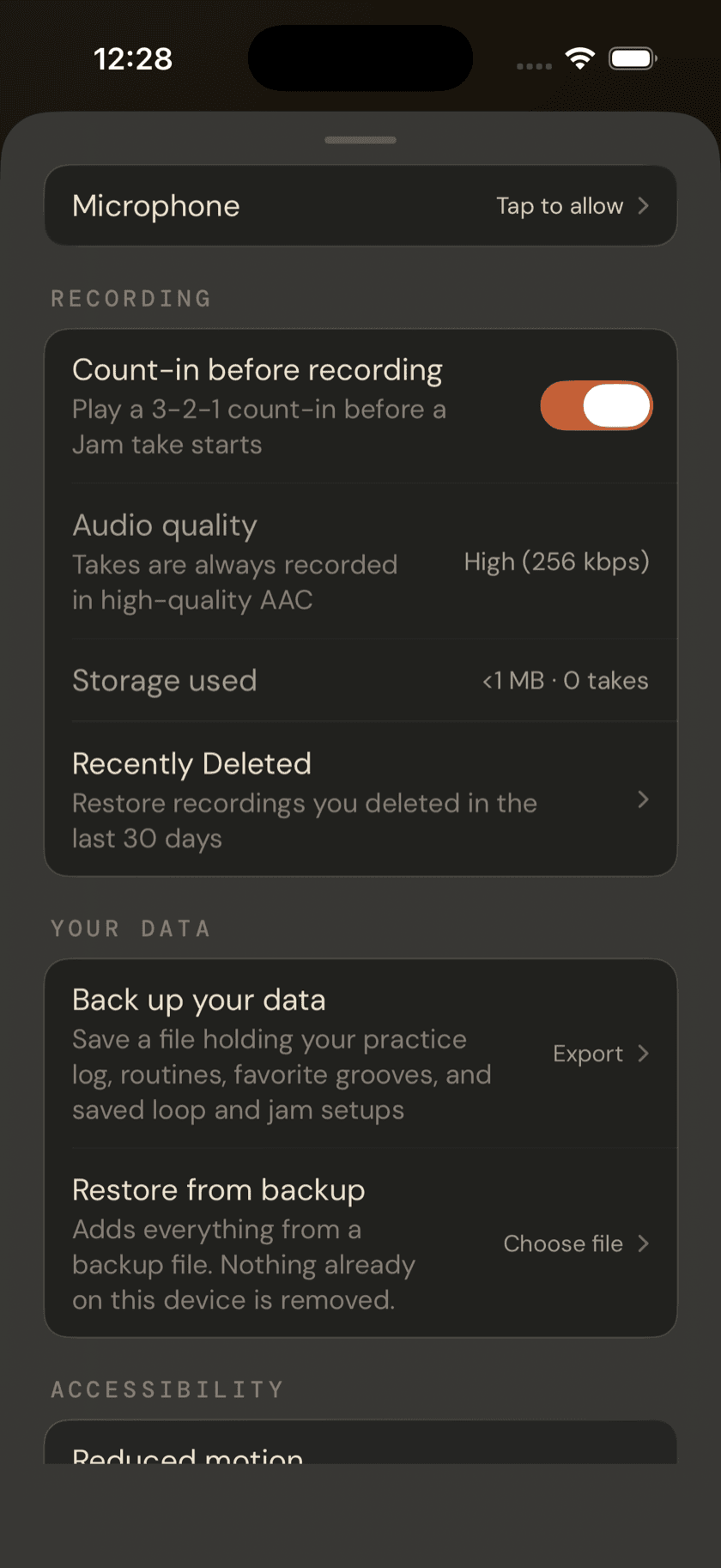
- Recently Deleted, a row that opens its own list.
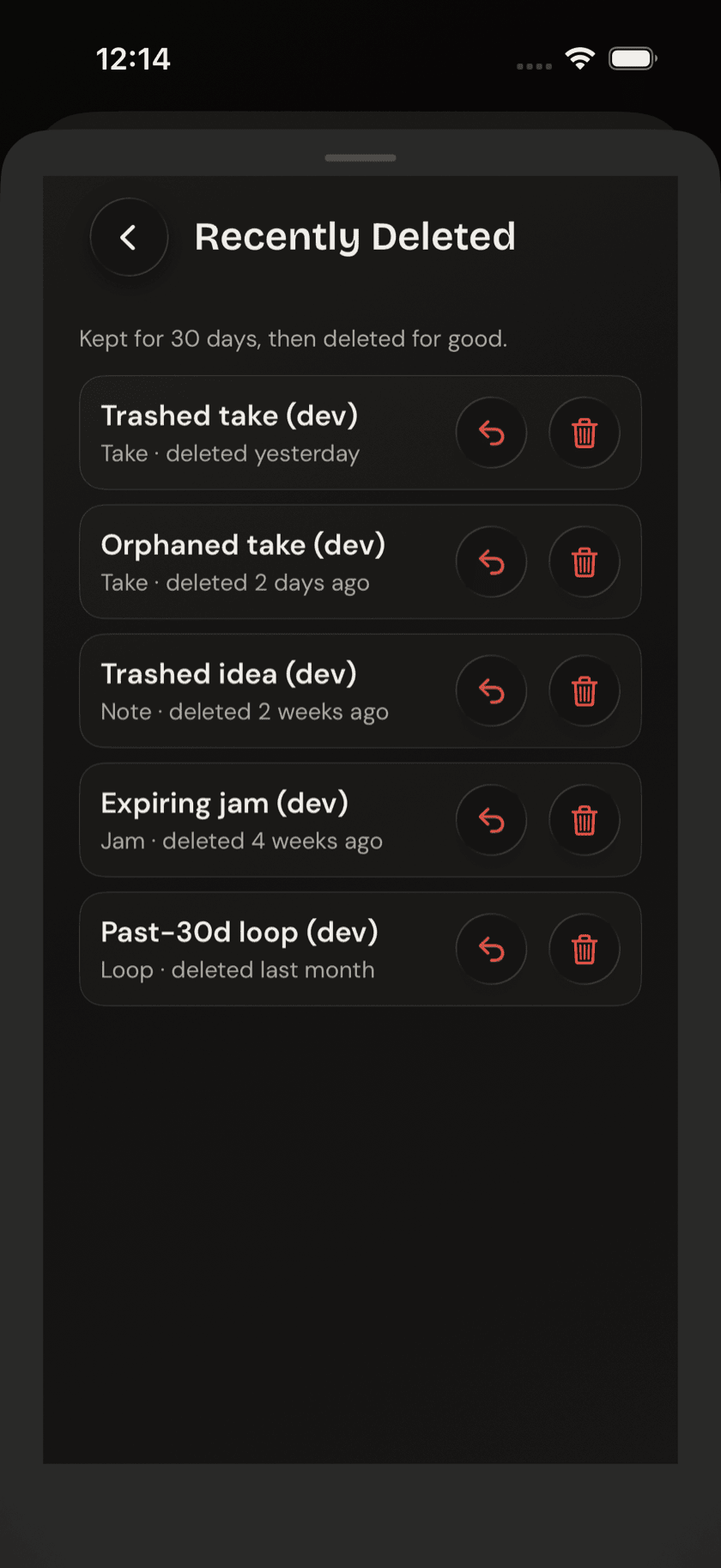
Recently Deleted is the same safety net as every sibling app. A deleted take or idea doesn't vanish immediately — it sits here for 30 days, with a per-item Restore or delete-now choice, before it's gone for good.
Your data
Two rows, both entirely local. Back up your data writes a single file holding the things you've made that aren't recordings — your practice log, your routines, your favorite grooves and rudiments, and your saved loop and jam setups — and hands it to the share sheet, so you can drop it into Files, iCloud Drive, or wherever else you keep things. Restore from backup reads one of those files back in. No account is involved at any point, and nothing leaves your device unless you send it somewhere yourself.
Restoring adds; it never takes away. Anything already on this device is kept — a restore won't overwrite or delete what's there, only fill in what's missing. That makes restoring the same file twice harmless, and it means you can pull a backup onto a phone you're already practicing on without losing the work that's already there. Before it writes anything, the app tells you what the file holds; afterwards, it tells you what it actually added.
Backups can't be carried between the Buddha apps. Open a Guitar Buddha backup here and it's refused by name — routines, grooves, and rudiments mean different things on a different instrument, so a cross-app restore is always a mistake rather than a merge. Ideas, recordings, and the grooves you've built in the editor aren't in the backup either: those are audio and database files, large enough to turn a small, shareable text file into something that isn't.
Accessibility
One toggle: Reduced motion, subtitled Minimize pulsing indicators and loading animations. Useful if the beat dots and loading states elsewhere in the app are more distraction than help.
Support
Two rows. Send feedback, subtitled Found a bug or thought of something? It comes straight to me, asks what you're writing about — Report a bug, Share an idea, or Something else — and then opens a composer with the subject already tagged and your app version and device added at the end, so a report is answerable without a round trip asking which build you're on. You see every line and can edit or delete any of it before sending.
It's a mail composer rather than a form that posts somewhere, deliberately. A feedback endpoint would be the first thing in the app to phone home; this way the message goes from your own mail account to an address you can see, and nothing is collected.
Tip jar, subtitled Every feature is free — tips help keep it that way. Nothing in Drum Buddha is gated behind it; it's just there if you want to leave one.
Privacy
One toggle: Help improve Drum Buddha, off by default. Subtitle: Share anonymous usage analytics. Off by default. Leave it off and nothing about how the app behaves changes.
About
Four links: Website, Contact, Privacy Policy, and Terms of Service — the standard set.
Credits
Scroll to the very bottom and there's a credits footer, easy to skip past but worth reading once. Drum Buddha's kit sounds come from two open sources: AVL Drumkits (CC-BY-SA 3.0) and FreePats Synthesizer Percussion (CC0). Real acknowledgment for real recordings, sitting right next to the app's version number.
Sit down and play.
Learn grooves, capture ideas, jam with a live band, and keep time — free, local-first, on iPhone, iPad, and Mac.
Explore Drum Buddha →