Fills
A fill is a groove with a job to do — bridge one bar into the next — and Drum Buddha treats it as exactly that: a tagged slice of the same pattern catalog you already know from Grooves.
A fill isn't a separate instrument or a separate skill from a groove — it's a groove with a specific purpose. Where a regular groove is something you sit in for bars at a time, a fill is a short phrase built to interrupt that groove on purpose, then hand you back into the next bar (or the next section) somewhere new. The screen's own subtitle puts it plainly: short phrases that carry you from one bar into the next. Resolve to a crash on 1.
Where fills live
Fills aren't a separate catalog. Drum Buddha's full pattern library is one set of groove patterns, and 30 of them are tagged fill rather than groove. That tag is the only real difference — under the hood, a fill is the same kind of object as anything you'd find on the Grooves page: notated, played back at a tempo, gapped and looped like any other pattern.
Practically, that means the Fills screen is a filtered view. You're looking at the same list mechanics as Grooves, just scoped down to the 30 patterns whose job is to move you somewhere, not to hold you in place.
Opening one
Tap a fill and it opens the exact same practice screen as any groove — same notation, same transport controls, same gap-click behavior, same per-voice muting. Nothing about that screen changes because you got there from Fills instead of Grooves. If you haven't spent time on that screen yet, the Grooves page covers it in full — everything written there applies here too.
The list
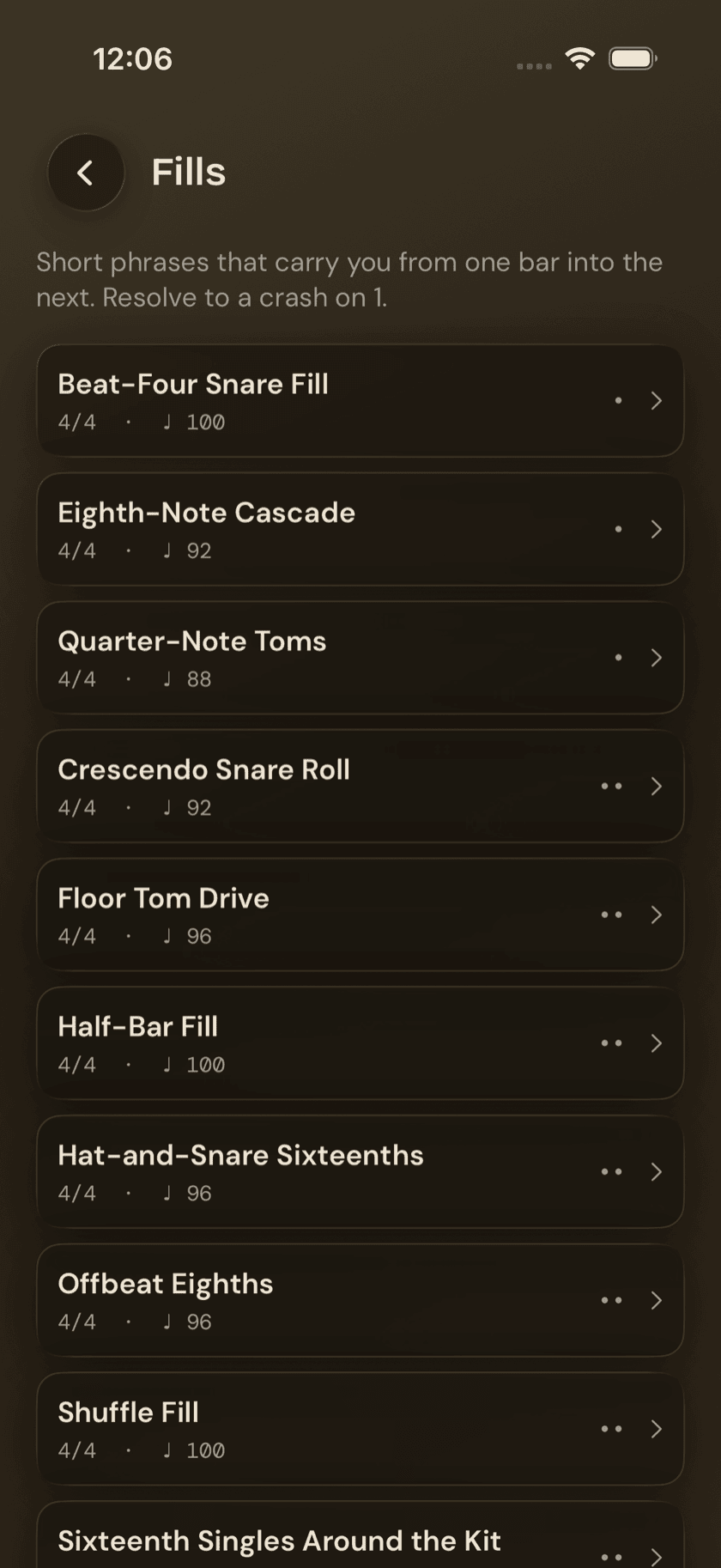
Each row in the Fills list shows the same four things a Grooves row shows: the fill's name, its time signature, a default BPM to start at, and a row of difficulty dots. Nothing here is fill-specific — it's the standard row layout, just filtered to the fill tag.
A handful worth knowing by name, roughly in order of difficulty:
| Fill | Difficulty | Style |
|---|---|---|
| Quarter-Note Toms | 1 | Essentials |
| Eighth-Note Cascade | 1 | — |
| Beat-Four Snare Fill | 1 | Rock |
| Sixteenth Singles Around the Kit | 2 | — |
| Half-Bar Fill | 2 | Rock |
| Triplets Around the Kit | 2 | Rock |
| Flam Accent Fill | 3 | Rock |
| Linear Threes — Snare-Snare-Kick | 3 | Funk |
| Hat-Bark Fill | 3 | Funk |
| Anticipated Crash Setup | 3 | Rock |
| Six-Stroke Roll Fill | 4 | — |
The low end is deliberately plain — Quarter-Note Toms and Beat-Four Snare Fill are about as unadorned as a fill gets, which is the point when you're still learning to land the crash on beat one instead of chasing it. The higher-difficulty end asks for more: Flam Accent Fill and Hat-Bark Fill lean on ghost-note and flam control, and Six-Stroke Roll Fill is a rudiment translated straight onto the kit.
That resolve-to-a-crash-on-1 habit isn't just a style choice baked into these 30 patterns — it's the whole reason fills are useful to practice in isolation. A fill that doesn't land cleanly on the downbeat doesn't just sound off, it drags the next bar with it.
Style and difficulty as a way in
Not every fill carries a style tag, but the ones that do — Rock, Funk, Essentials — give you a shortcut for picking one. If you're working through a Rock groove elsewhere in the app, a Rock-tagged fill at the same difficulty is a reasonable next stop. Difficulty dots do the rest of the sorting: start low, and only reach for something like Six-Stroke Roll Fill once the basics resolve cleanly without you thinking about them.
Sit down and play.
Learn grooves, capture ideas, jam with a live band, and keep time — free, local-first, on iPhone, iPad, and Mac.
Explore Drum Buddha →