Ideas
Where a beat, a voice memo, or a stray thought lands before it's ready to be a groove — or instead of ever becoming one.
Ideas is the junk drawer. It's the same shape as the Ideas tab in the other Buddha apps — Drum Buddha didn't reinvent it. Grooves is where you build and keep patterns on purpose; Ideas is where you catch something before it's gone, kept apart from Grooves on purpose, with no obligation to ever turn it into anything.
What goes in Ideas
An idea is audio or text. That's it — two capture modes, nothing drum-specific like a notation scratch pad. If you want to actually write a pattern — bars, hits, subdivisions — that's Grooves's job, not this one. Ideas exists for the stuff that isn't a pattern yet, or never will be: a fill you just played and want to remember, a line for a song, a vague memory of how a section is supposed to feel.
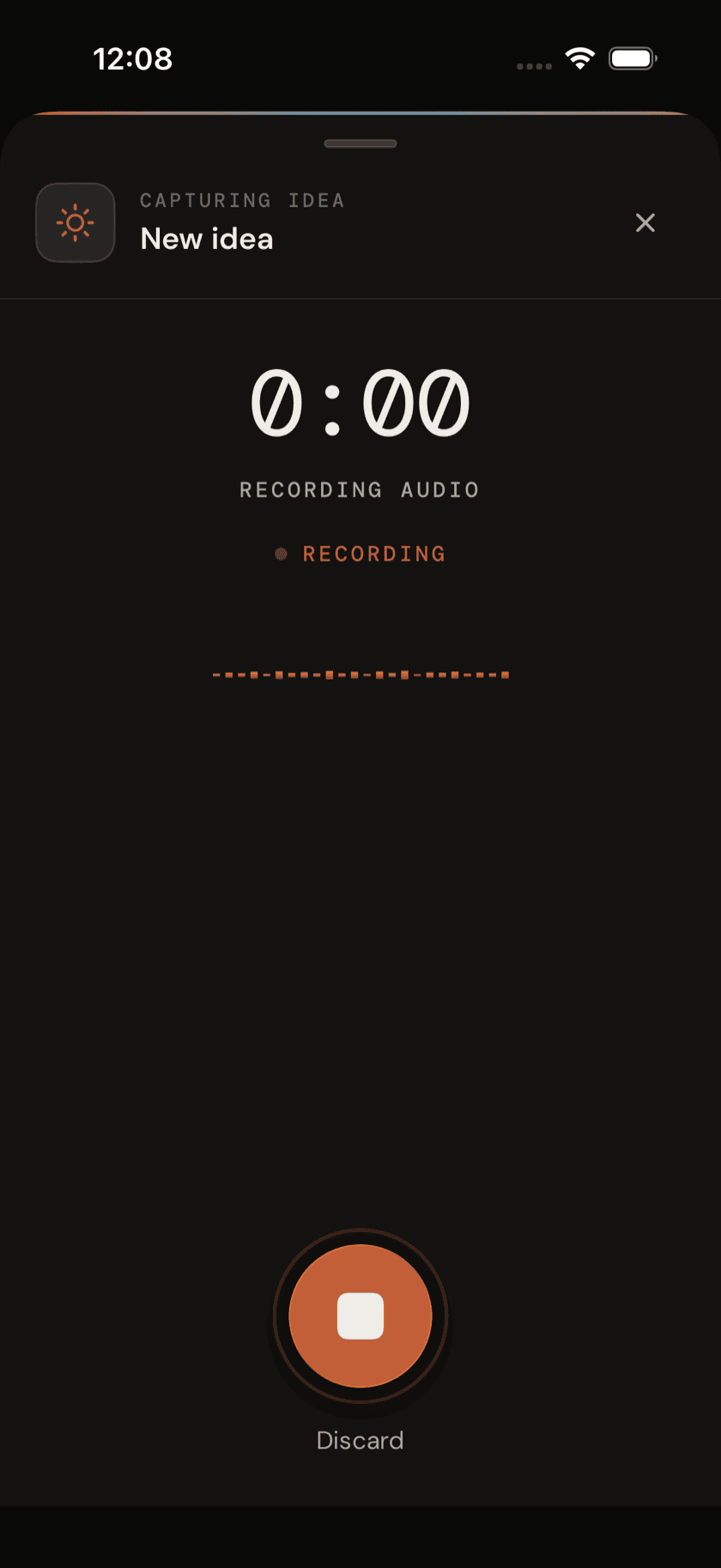
Capturing an idea
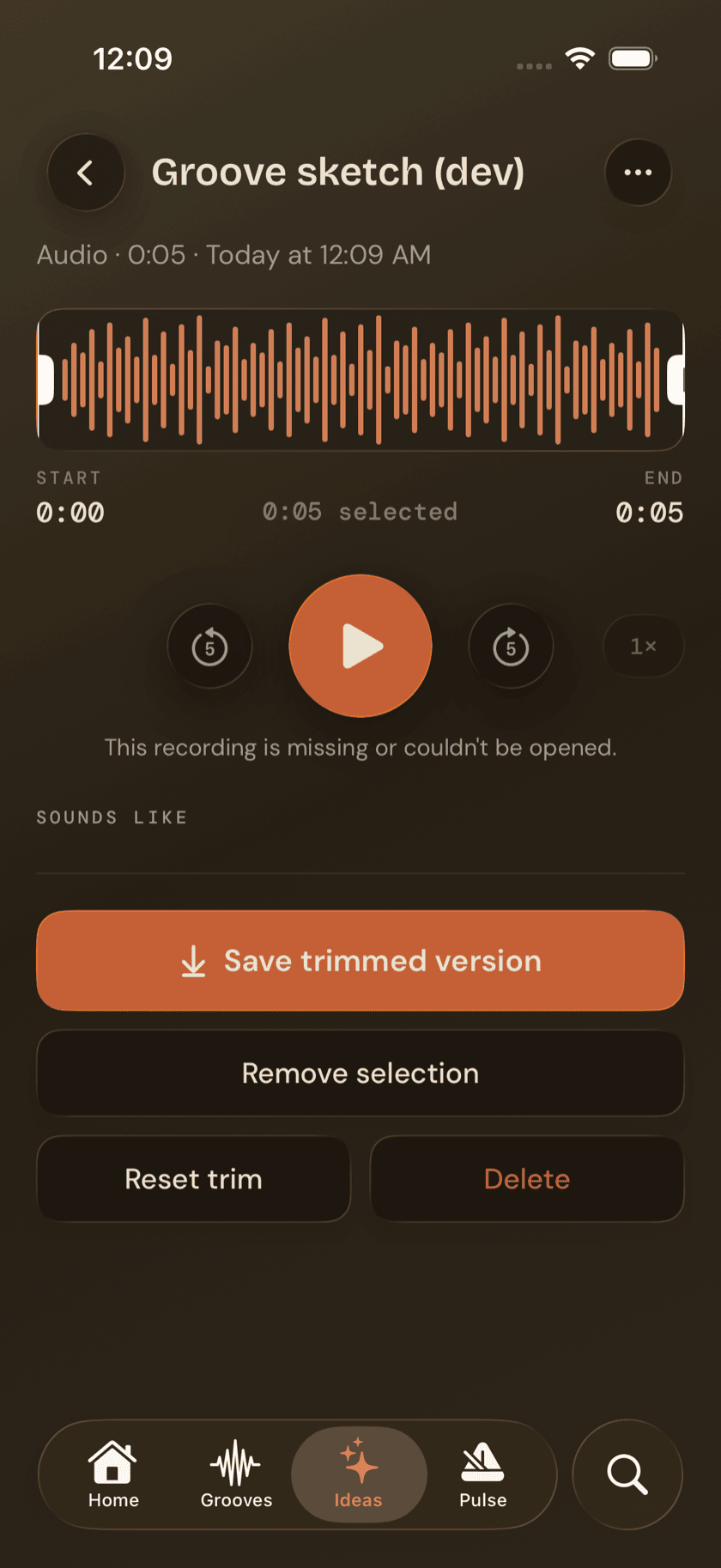
Audio. Tap record and CaptureFlow starts listening, capped at five minutes. Every audio idea defaults to the Riff kind. Open one afterward and you get a waveform with trim handles, plus a "Sounds like" pass that tries to detect a chord and key from what you played.
Chord and key detection needs pitch to work with, and most drum recordings don't have any — they're unpitched. An empty result here isn't broken. It's the app correctly reporting that there was nothing pitched to find.
Text. Type instead of record and the idea defaults to the Lyric kind. It autosaves as you go — no save button, nothing to lose if you close the app mid-thought. Whatever you type on the first line becomes the idea's title in the list.
Kinds: Riff, Lyric, Chord, Memory
Every idea carries a kind: Riff, Lyric, Chord, or Memory.
They're inherited from the other Buddha apps' idea system, not renamed for drums. A kind is just a label for sorting an idea later — it doesn't change how the idea behaves.
Linking an idea to a groove
An idea can point at a specific groove, so "this fill idea belongs with that groove" doesn't just live in your head. The same groove picker shows up in two places — the options sheet on an existing idea, and the review panel right after you capture a new one — so you can make the connection immediately or come back and add it later.
Jumping straight into a Jam
If an audio idea's "Sounds like" pass does detect harmony, its detail view adds a button — something like Jam in C Dorian — and tapping it starts a Jam session already set to that key. It's the one shortcut in Ideas that skips a setup screen entirely. In practice this mostly shows up on hummed or sung ideas — a straight drum recording, like the one below, won't have anything pitched to detect.
Finding an idea again
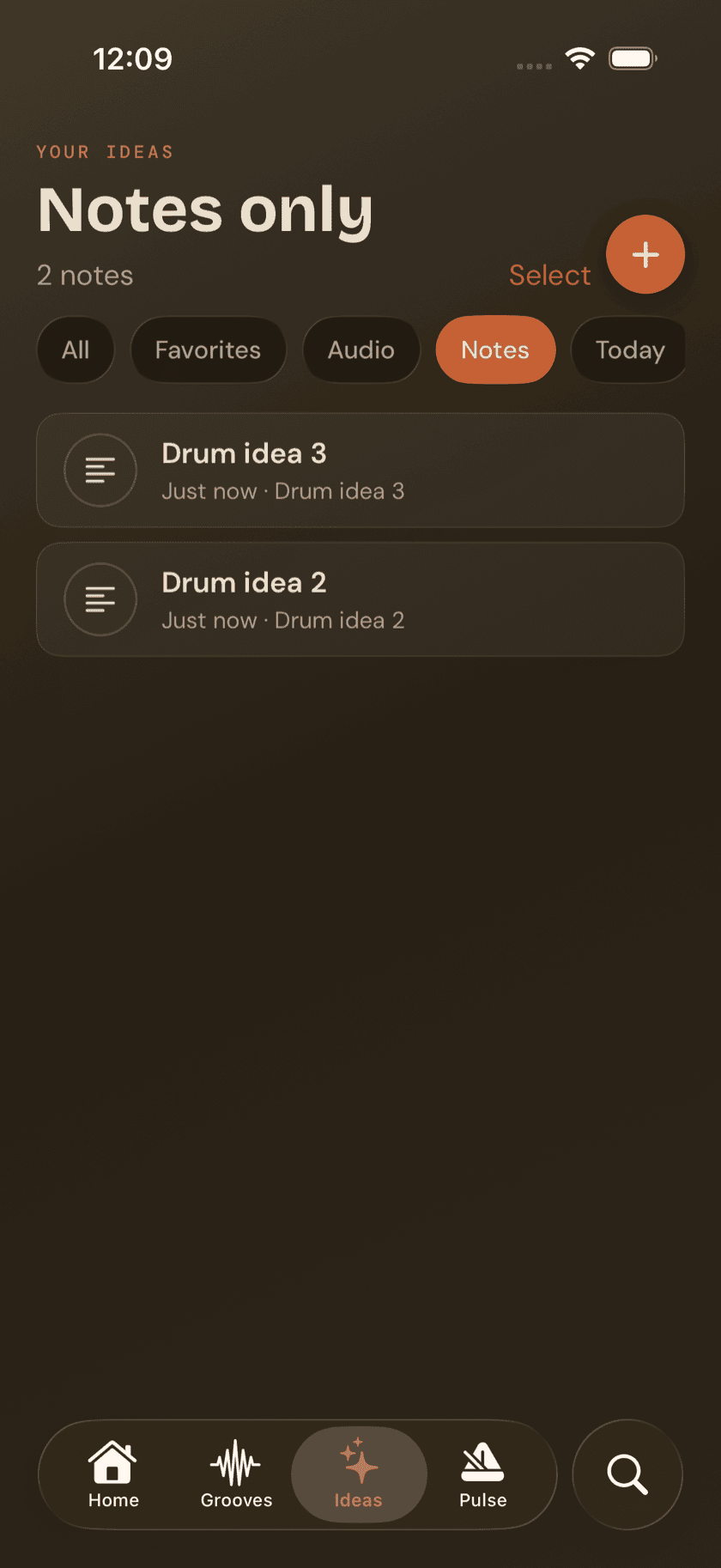
Six filters sit at the top of the list:
| Filter | Shows |
|---|---|
| All | Every idea, audio and text |
| Favorites | Ideas you've starred |
| Audio | Recordings only |
| Notes | Text ideas only |
| Today | Captured today |
| This week | Captured in the last seven days |
Deleting an idea
Deleting from the Ideas screen is never instant. It moves to Recently Deleted first and sits there for 30 days before it's actually gone, so a stray swipe doesn't cost you a real idea.
Sit down and play.
Learn grooves, capture ideas, jam with a live band, and keep time — free, local-first, on iPhone, iPad, and Mac.
Explore Drum Buddha →